Before my teenage son, Owen, even had his new Chromebook, I could see one thing that was going to cause some grief. The plan was a laptop he could use for school without access to most websites, where anything new would stay blocked until I approved it. That would work fine until he was in the middle of homework and hit a block. Then he’d be stuck, and the only way to get unstuck would be for me to do something about it, whether or not it was a good time for me.
So his Chromebook has a button for asking me. He taps it and says what he needs the site for, and my phone buzzes so I can approve or decline. If I say yes, he has the Chromebook check for the update and tries again, which takes under a minute.
The trouble was school links, which tend to bounce through a few other sites on the way, like a sign-in page. Each blocked hop only showed up after I’d approved the one before it, so a single link could take three approvals, and it was very annoying. Now when he asks, the link gets checked ahead of time for the other sites it needs, so I can approve them all in one go.
I’ve been building all of this in my spare time since early September, and I couldn’t have done it without AI. It started because I needed it, but I’ve kept at it mostly because it’s fun. The AI tools dig through Google’s admin settings and documentation, which I didn’t know well, and write the code. I mostly decide what I want and tell them when it doesn’t work.
On setup day a Google Doc opened fine, but when I tried to download it as a PDF, nothing happened. It turned out the download came from a different Google address that wasn’t on the allowed list. One narrow exception for those downloads fixed it.
YouTube was its own project. I’m not trying to protect Owen from a single bad video. I just don’t want mindless entertainment turning into a habit. I’d rather give him a curated list of mostly how-to and educational videos, which aren’t as addictive as the usual stuff. So I approve particular videos or whole channels, and only those play.
He gets a set amount of YouTube time each day and can ask for more. If a video is an hour long, he can ask before he starts instead of running out partway through and being stuck waiting on me. I can also hit pause from my phone. When I paused YouTube on him, he swapped the laundry from the washer to the dryer pretty fast.
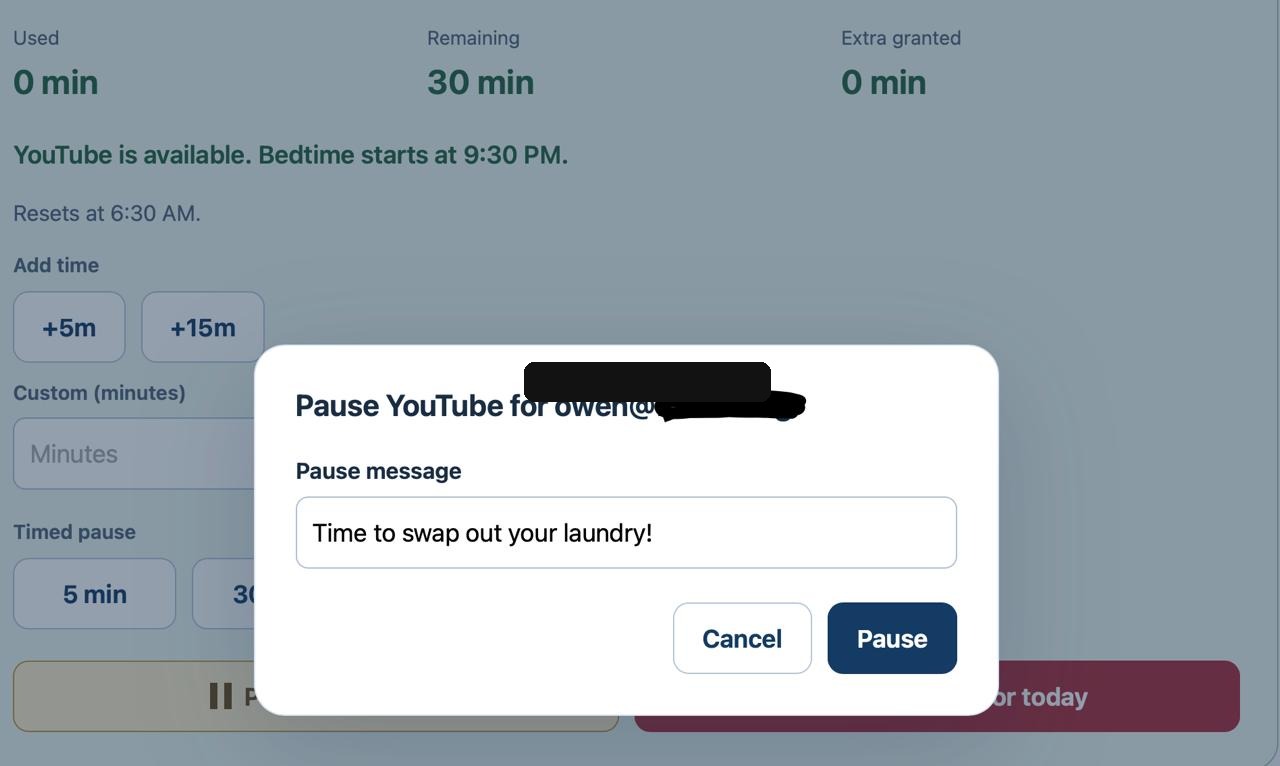
In September Owen caught a bug where an ad played behind a black screen and pressing Skip just reloaded the page, over and over. A fix went out shortly. These days he’s helping design it, too. Asking to finish the video he’s on when his time runs out was his idea. So was the “Request un-pause” button.
Some of it is still being tested, and some of it has been stubborn. Music on Spotify kept cutting out after about ten seconds. I told the AI I wanted evidence rather than guesses, and when its first round of diagnostics came up empty, I had it write everything up for another AI to take a fresh look. After a few more rounds, changing a content-protection setting on the Chromebook got it past ten seconds, and that uncovered one more bug. When a song finally played past three minutes and went straight on to the next one in the queue, I typed back, “So I think it’s working!”
Putting this together took a software background and frontier AI, and a parent shouldn’t need either. Without them, a PDF that won’t download just looks like a broken laptop, and the easy fix is to open everything back up. A teenager’s laptop should be secure by default.